Instagram profile downloader
Export Instagram photos, reels, videos, captions and post metadata from any public profile.
Download the newest 20 posts for free. Create a Browsable account to download complete profiles, or use the API to download them programmatically.
Export Status
QueuedPreparing export
We are validating the profile and checking how large the export will be.
- Posts
- 0
- Media
- 0
- Downloaded
- 0
- Estimated size
- 0 MB
ZIP file
profile.zip
The export and its download links expire 24 hours after the export starts.
Activity log
How it works
How to download an entire Instagram profile as a ZIP
Save the available posts from a public Instagram profile without downloading each photo, Reel or video separately.
- 1
Enter the profile
Paste an Instagram username or the full public profile URL.
- 2
Start the export
Enter your email so we can send the ZIP link when the export is ready.
- 3
Download one ZIP
Save the completed archive within 24 hours, before its temporary link expires.
Inside the download
What is included in the Instagram profile ZIP?
The export keeps the media and its context together, so the archive is useful beyond a folder of unnamed images.
media/- Available photos, Reels and video files. Carousel posts are separated into their individual media files.
posts.csv- A spreadsheet containing post URLs, dates, captions, media types, engagement counts and downloaded filenames when available.
manifest.json- Structured profile, post and download metadata for archiving or for use in another workflow.
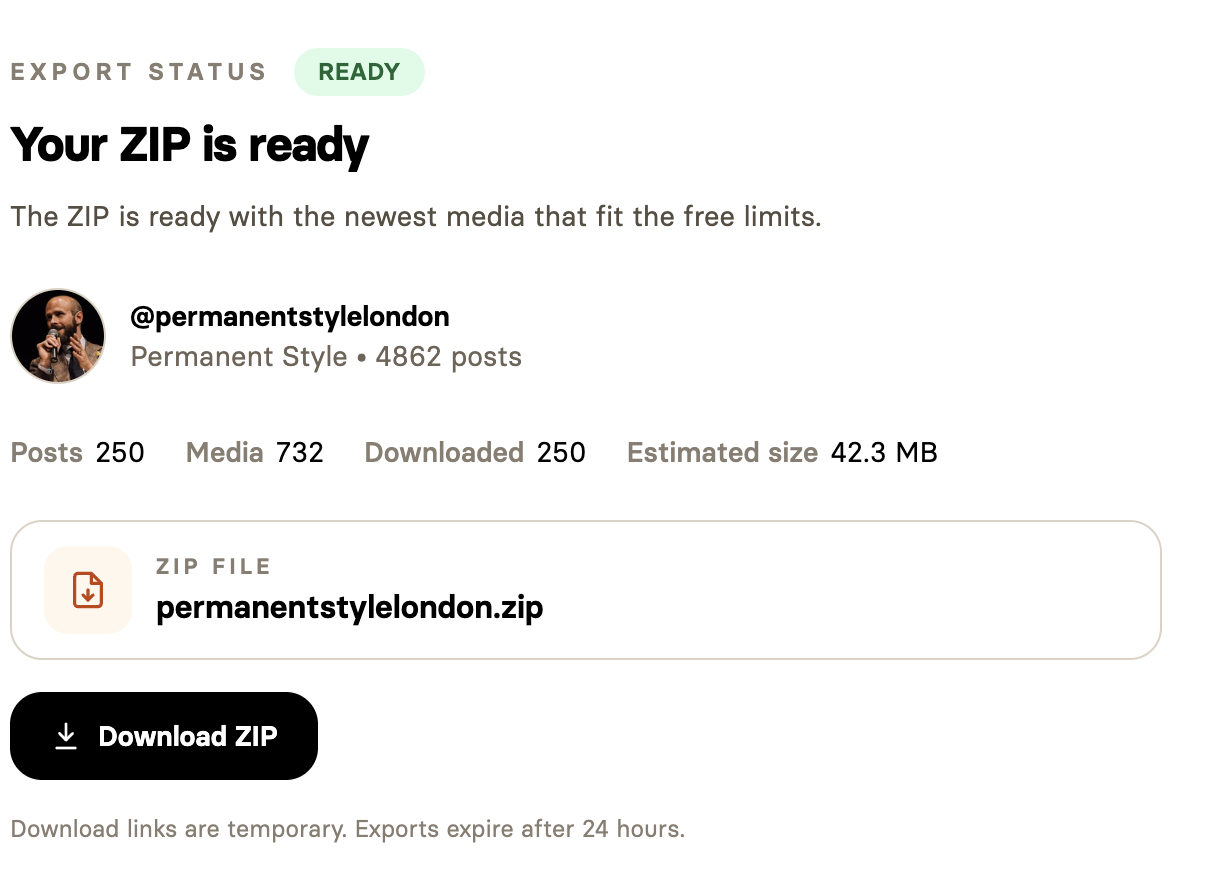
Choose your export
Free Instagram download or complete profile export
| Feature | Free export | Complete export |
|---|---|---|
| Posts | Newest 20 | Complete available public feed by default |
| Account | No Browsable account required | Browsable account required |
| Instagram access | Public profiles visible while logged out | Optional Instagram login for restricted public profiles and private profiles you follow |
| Output | Media, CSV and JSON in one ZIP | Media, CSV and JSON in one ZIP |
One archive, many uses
Why download an Instagram profile?
A bulk profile download saves you from opening and saving every post individually.
- Back up posts from an account you manage.
- Preserve a public profile before its feed changes.
- Collect approved campaign assets for a client.
- Archive public posts for research or analysis.
- Move a creator's media into an organised library.
- Keep captions and dates alongside downloaded media.
Access and limitations
Public, private and restricted profiles
- The free downloader works with profiles Instagram shows to logged-out visitors.
- Private profiles are not supported.
- Age, region or audience restrictions may prevent an anonymous export.
- A connected Instagram login can help with restricted public profiles and private profiles you follow through the dashboard.
- Deleted posts, Stories and Highlights are not part of a profile-feed export.
Privacy and responsible use
Temporary downloads, clear boundaries
Your email is used to send the ready notification and help enforce fair-use limits. Free exports do not require an Instagram login.
Completed ZIP files and their download links expire after 24 hours.
Downloading content does not transfer ownership or permission to reuse it. Only download and use content you own, have permission to use or may lawfully access.
Learn more in our Privacy Policy and Terms of Service.
Using an Instagram login
How using an Instagram login works
If you want to download a private profile or a restricted public profile via the dashboard, you can connect your Instagram account via Kernel, a company we partner with for browser infrastructure. Browsable never sees or stores your login information.
-
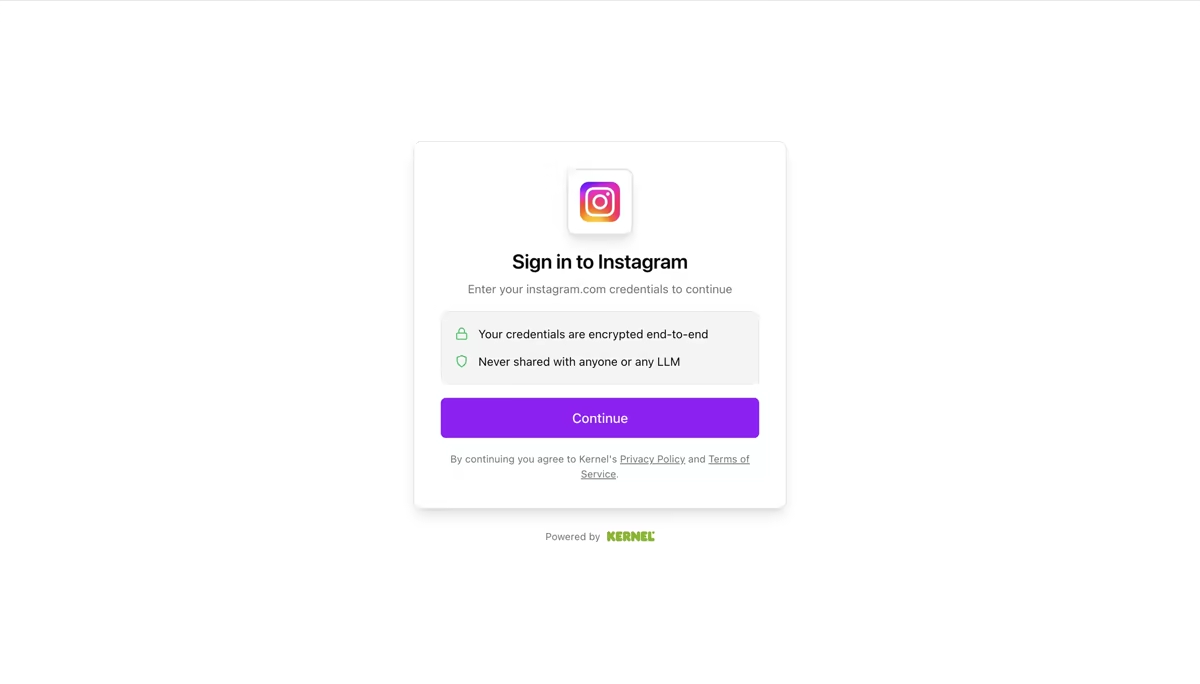
1. Sign in on Kernel's secure page
Choose to connect Instagram in the dashboard and you're sent to a Kernel-hosted sign-in page. Your credentials are encrypted end-to-end with Kernel.
-
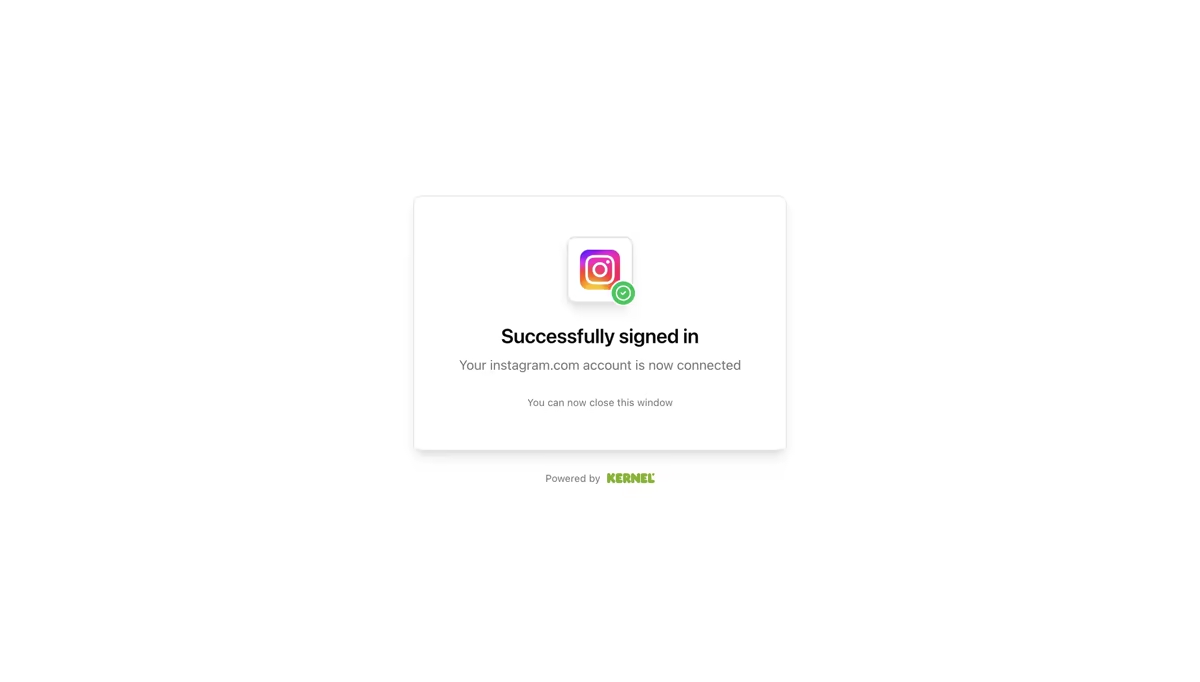
2. Close the window and return to Browsable
Once you see "Successfully signed in", your Instagram account is connected. Close the window and Browsable can use the connection for your exports, without ever receiving your username or password.
Questions and answers
Instagram profile downloader FAQ
Can I download an entire Instagram profile?
The free downloader exports the newest 20 posts from a public profile. A Browsable account lets you request a complete export of the profile's available public feed.
Is the Instagram profile downloader free?
Yes. You can export the newest 20 posts from a public Instagram profile for free. Complete profile downloads are available through a Browsable account.
Do I need an Instagram account?
No Instagram login is required for the free public-profile export. Some restricted public profiles or private profiles you follow will require using an Instagram login through the Browsable dashboard.
Does Browsable store my Instagram password?
No. Browsable does not store your Instagram credentials. If you choose to connect an Instagram login, you sign in on a secure page hosted by Kernel, our browser infrastructure provider.
Can I download a private Instagram profile?
No. Private Instagram profiles are not supported. Browsable can only export media that Instagram makes available for the selected access method.
Does the ZIP include Reels, videos and carousel posts?
Yes, when those items appear in the available profile feed. Browsable downloads available photos and videos, including separate media files from carousel posts.
What files are included in the ZIP?
The ZIP contains downloaded media in a media folder, a posts.csv spreadsheet with captions and post details, and a manifest.json file with profile, post and download metadata.
Does it download Instagram Stories or Highlights?
No. This downloader is designed for posts in an Instagram profile feed, including available photo, video, Reel and carousel posts. Stories and Highlights are not included.
How long does an export take?
Export time depends on the number and size of the available media files and how quickly Instagram responds, a few minutes is normal but large profiles can take longer. Browsable emails you when the ZIP is ready.
How long is the download available?
The download link is temporary. Exported ZIP files expire after 24 hours, so save the archive before the link expires.
Can I automate Instagram profile downloads?
Yes. The Instagram Profile Download API lets you start exports programmatically, monitor their status and retrieve the completed ZIP.
For developers and larger workflows
Download Instagram profiles programmatically
Use the Instagram Profile Download API to start exports, monitor their status and retrieve the finished ZIP from your own application. If you need structured profile data rather than media files, use the Instagram scraping API.
Download an Instagram profile as a ZIP
Export the newest 20 posts from a public profile for free, including available media, captions and post metadata.
Start a free profile export